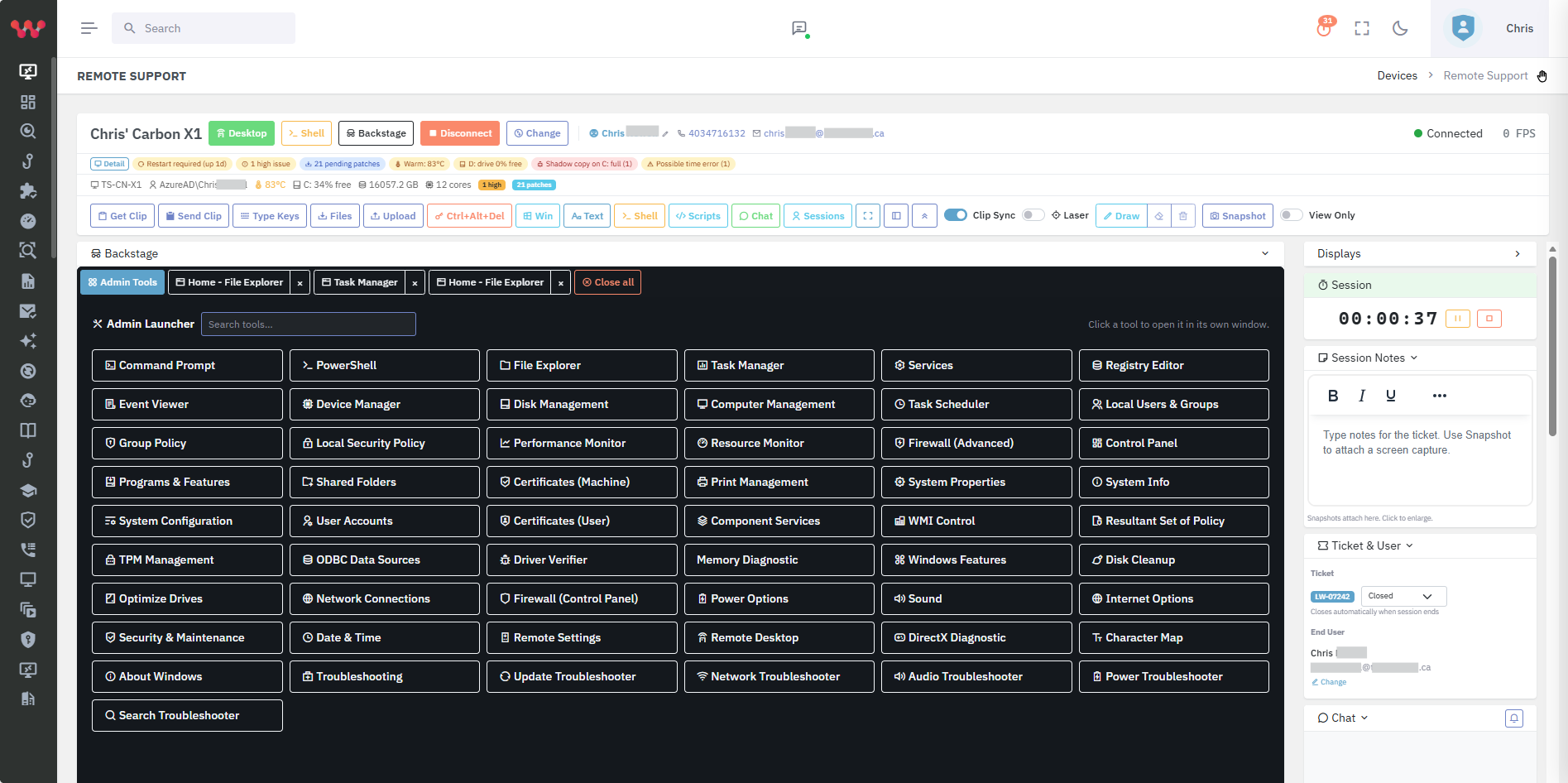
Remote support is the backbone of MSP service delivery. Most MSPs run one of: ConnectWise ScreenConnect, Splashtop, TeamViewer, AnyDesk, or BeyondTrust / Bomgar Remote Support. Each has trade-offs — operator agent footprint, cost at scale, multi-tenant scope, security posture.
The modern MSP-tuned remote-support pattern is browser-based (no operator agent), multi-tenant (per-client isolation by default), country-restricted (access only from approved countries by default), and bundled with the rest of the MSP platform.
What to look for
- Browser-based operator workflow. Technicians shouldn't need a heavy native client. A modern browser session should be sufficient — one less laptop to maintain, easier mobile escalation.
- Multi-tenant by default. Per-client isolation; technicians see only entitled tenants; per-client branding.
- Country-level access restrictions by default. Approved-country list as default access control. Most credential-based attacks come from outside the MSP's and client's normal geographies; default-restrict is the right posture.
- Mutual cert authentication and TLS-in-TLS tunnelling. Remote-support sessions are exactly the high-value lateral-movement target attackers look for. Strong session-level cryptography is non-optional.
- Backstage shell access. Sometimes the technician needs a shell on the endpoint without disturbing the user. Backstage / unattended shell capability matters.
- Session recording and audit. Compliance frameworks (CMMC 2.0, NIST CSF, SOC 2, HIPAA) increasingly expect privileged-session recording.
- Bundled with the rest of the MSP platform. Standalone remote support adds another invoice. Bundled platforms reduce the total stack.
Options to evaluate
Lavawall®Browser-based multi-tenant remote support bundled with the platform
Browser-based operator workflow — no operator agent install. Multi-tenant by default. Country-level access restrictions on by default; approved-country list per tenant. TLS-in-TLS tunnelling with mutual certificate authentication. Backstage shell access. Bundled with Lavawall® alongside patching, GRC, breach detection, helpdesk, and SaaS / shadow-AI discovery.
Best when: MSPs that want browser-based, country-restricted remote support bundled with the rest of the security and compliance platform.
BeyondTrust / Bomgar Remote SupportEnterprise privileged remote support
Mature enterprise-grade remote support with deep audit and PAM integration. Strong if the customer is at enterprise scale; pricing is enterprise-grade.
Best when: Enterprises with dedicated PAM programmes; large MSPs serving regulated enterprise tenants.
ConnectWise ScreenConnect (Control)MSP remote-control
Long-established MSP remote-control product. Native client with strong session features. Multi-tenant configurable; country-restriction not default.
Best when: ConnectWise-stack MSPs.
How Lavawall® fits
Lavawall® remote support runs in the browser — no operator agent install, no separate native client to maintain. The technician launches a session from the device-context view of the user's ticket.
Country-level restrictions are on by default. Each tenant has an approved-country list; sessions from countries outside that list are blocked. Most credential-based remote-support attacks originate from outside the normal geography of the MSP and the tenant; default-restricting closes the most common attack vector.
Session-level security uses TLS-in-TLS tunnelling with mutual certificate authentication. Backstage shell access is available for unattended administrative work. Because remote support is bundled with the rest of the platform, sessions launch from the same console as patching, GRC, ticketing, and breach detection.
Frequently asked
- Why country-restriction by default?
- Credential-based remote-support attacks overwhelmingly originate from outside the normal geography of the MSP and the tenant. Default-restricting to approved countries closes the most common attack vector and forces a deliberate exception for legitimate travel.
- Does Lavawall® replace BeyondTrust / Bomgar?
- For most MSP scenarios, yes. For very large enterprises with dedicated PAM programmes, BeyondTrust's depth at the privileged-access tier remains the gold standard; Lavawall® complements rather than replaces in those cases.
- Can I record sessions for compliance?
- Yes. Session recording is supported and feeds into Lavawall® GRC evidence for the relevant control families.